What's new

🛠️ What have you done to your F150 Tremor this week?

V1 cutouts with orange vinyl underneath

0498EFA9-D552-463D-941E-6CE52A05B4A9.webp
 
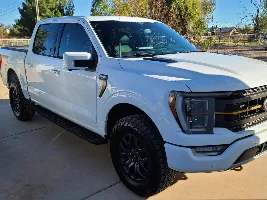
100%. I'm not a big mod guy. To my eyes, the truck looks perfect right out of the box, that's one reason I bought it -- don't need to change wheels, tires, grill, etc. Oh, except that unfinished eyesore around the rear wheels had to go immediately!

Tuxmats are out for delivery today since the stock carpet mats are a joke for my use (although the logo looks nice). That'll be the extent of my mods unless something else gets under skin, you guys convince me otherwise (stop, please!), or @Cblaxx19 readies the grill light for market.
I have those same mats and they are beyond amazing. I will never purchase weather tech again
 
Do you have a link?
3M 680 Yellow Reflective 71 2ft x 1ft Scotchlite Reflective Vinyl Film Roll Sheet https://a.co/9eV3rwn

 
I used FORScan for the first time today. Disabled double honk, increased the DRL brightness from factory set 10% to 75%, and enabled Glare-Free lighting.
Factory is only 10%?!
 
Factory is only 10%?!
Yes. 75% is pretty bright and looks way better, both day and night. I know on the F150Gen14 forum some people were experiencing one of the LEDs to flicker at 100% and 75% yielded the best results with less reports of the flickering issue. But with your lighting set up do you really need more light....I think yes 😁
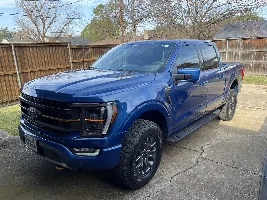
 
Yes. 75% is pretty bright and looks way better, both day and night. I know on the F150Gen14 forum some people were experiencing one of the LEDs to flicker at 100% and 75% yielded the best results with less reports of the flickering issue. But with your lighting set up do you really need more light....I think yes 😁
I was thinking factory was like 50%.

I could use a little more brightness to match my grille light output a tad better. 😅
 
  • Like
Reactions: TJE
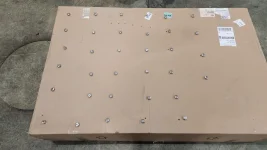
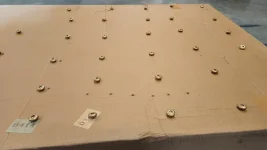
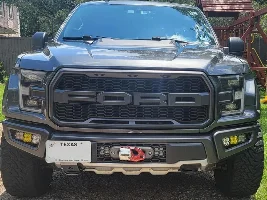
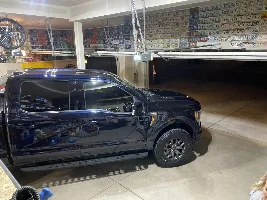
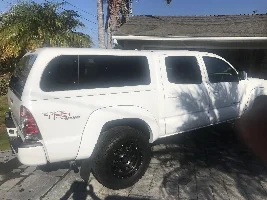
Sneak peak of the next mod. Waiting on more pain before I can finish it though.
 

Attachments

  • 20220809_072605.webp
    20220809_072605.webp
    159.8 KB · Views: 420
  • 20220809_074445.webp
    20220809_074445.webp
    130.5 KB · Views: 412
I used FORScan for the first time today. Disabled double honk, increased the DRL brightness from factory set 10% to 75%, and enabled Glare-Free lighting.
How do you set them to 75%.

EDIT: found it.

This is the alternative way of making your LED bar brighter. So far, there are reports that after doing the modification above in FORScan, some experienced issues with the LED bar flickering, either the one part of the headlight or the fog light. To fix this and achieve the almost same result, the below steps and FORScan change needs to be done:

1. Revert/restore your changes in FORScan that you did for the above change via backup that you made to restore back to factory as-built values for line - BCM: 726-42-01 -> x2x2 xxxx xx--. Make sure to write and cycle your truck on/off.

2. Go into BCM as-built once again and create a backup once more, to be safe.

3. Change the following as-built with the following values. The preferred value that has been tested as of May 2022, is 4B (75%). Change only the "**" area, and leave the rest of the values in the line the way they are as default.

726-38-01 xxxx **xx xx--

64 =100%
5A = 90%
4B =75%
32 = 50%
19 = 25%
0A =10%

3. Write to the truck and cycle the truck on/off, a few seconds apart. Enjoy!
 
Last edited:
How do you set them to 75%.

EDIT: found it.

This is the alternative way of making your LED bar brighter. So far, there are reports that after doing the modification above in FORScan, some experienced issues with the LED bar flickering, either the one part of the headlight or the fog light. To fix this and achieve the almost same result, the below steps and FORScan change needs to be done:

1. Revert/restore your changes in FORScan that you did for the above change via backup that you made to restore back to factory as-built values for line - BCM: 726-42-01 -> x2x2 xxxx xx--. Make sure to write and cycle your truck on/off.

2. Go into BCM as-built once again and create a backup once more, to be safe.

3. Change the following as-built with the following values. The preferred value that has been tested as of May 2022, is 4B (75%). Change only the "**" area, and leave the rest of the values in the line the way they are as default.

726-38-01 xxxx **xx xx--

64 =100%
5A = 90%
4B =75%
32 = 50%
19 = 25%
0A =10%


3. Write to the truck and cycle the truck on/off, a few seconds apart. Enjoy!
You beat me to it. Step 1 is if you modified it the older way to rever back to stock. Otherwise you may start with step 2.

Full thread here for anyone who wants to read up on the issues others had: https://www.f150gen14.com/forum/threads/drl-led-bar-brightness-boosted-using-forscan.7091/
 
The 75% setting has been solid for me after being one of the lucky winners of flicker at 100%. Visually you can’t really tell the difference between 75 and 100%.
I just set mine at 75 this afternoon. Looks great
 

Recent Discussions

Back
Top