What's new

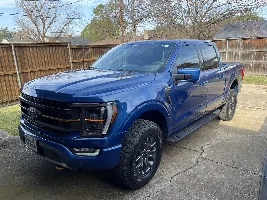
F150 Tremor FORScan

Guys sorry if this was already addressed-
But can anyone confirm if making these adjustments will affect the warranty? I know the dealership/Ford can deny warranty for any reason. But, has anyone had any issues with getting warranty while having these mods?
The Magnuson-Moss Warranty Act prevents a manufacture from voiding / denying your warranty unless the can prove the non-OEM modification or part directly caused the failure being claimed. Legally they cannot deny warranty for “any reason”. That may not stop some dealers from dishonestly claiming “Your warranty is void”. They cannot void your entire vehicle warranty because you have a non-OEM modification. The modification must have caused or contributed to the failure.

Now specific to these forscan changes: If you break something, you should not expect the dealer or OEM to cover the cost. If your changes cause a problem which you cannot rectify on your own, I would expect to pay out of pocket for repairs at the dealer. At that point that part or system is back in warranty unless you do something to it to cause the next failure.

The changes being made already exist in the software and are reversible provided you make backups. Forscan has been around for a long time and many many people have successfully made changes with no ill effects.
 
Perfect- that works for me. Just didn’t wanna have an issue down the road with the extended warranty I purchased. 👍🏻
 
Perfect- that works for me. Just didn’t wanna have an issue down the road with the extended warranty I purchased. 👍🏻
Stick to the known good changes, make backups of your as-build before any changes and you should be good. You can always revert to stock if need be, but I doubt that ever becomes necessary. Effectively all we are doing here is flipping switches off or on within the existing software. We are not actually changing the software.
 
OK, I'm sold. Got my forscan adapter on the way.

Definitely going to disable that dumb double honk and enable digital temps....for sure doing the anti glare headlights as I have the 402.

These are the current/accurate codes for anti glare from the thread it looks
Glare Free Menu (replaces Auto High beam) in APIM:
7D0-09-01 x1xx xxxx
7D0-09-03 xxCx xxxx
Note: a module reset in FORScan or power cycle is required for the menu to appear.

IPMA
706-01-01 xxxx xxx9

SCCM
724-04-01 xxx4 xxxx

IPC
720-01-01 xx8x xxxx
720-10-01 xxxx xxx3

HCM
734-01-01 xxxx xx01
734-01-02 x3xx xxxx
734-01-04 xx53 4E
 
Last edited:
OK, I'm sold. Got my forscan adapter on the way.

Definitely going to disable that dumb double honk and enable digital temps....for sure doing the anti glare headlights as I have the 402.

These are the current/accurate codes for anti glare from the thread it looks
Glare Free Menu (replaces Auto High beam) in APIM:
7D0-09-01 x1xx xxxx
7D0-09-03 xxCx xxxx
Note: a module reset in FORScan or power cycle is required for the menu to appear.

IPMA
706-01-01 xxxx xxx9

SCCM
724-04-01 xxx4 xxxx

IPC
720-01-01 xx8x xxxx
720-10-01 xxxx xxx3

HCM
734-01-01 xxxx xx01
734-01-02 x3xx xxxx
734-01-04 xx53 4E
Yep those are the ones. Feel free to give me a shout if you have any questions.
 
I've done a couple of changes.
the high beam thing - The jury is still out but I think I'm going to like it.
double horn honk - the absence of that annoying sound is an epic step for mankind!
I tried to set the auto heat/cool feature but haven't seen any difference. I'll go back in to confirm I set it correctly/everything took.
looking to do the lincoln mirror thing, next.

This and its potential is fantastic! I we all appreciate the help @Robb1
 
I've done a couple of changes.
the high beam thing - The jury is still out but I think I'm going to like it.
double horn honk - the absence of that annoying sound is an epic step for mankind!
I tried to set the auto heat/cool feature but haven't seen any difference. I'll go back in to confirm I set it correctly/everything took.
looking to do the lincoln mirror thing, next.

This and its potential is fantastic! I we all appreciate the help @Robb1
Always happy to help!

For the auto seats: make sure they are actually in auto mode. You can do this by pressing ether the heat or cool button, cycling through the manual temps, off, then auto. 3 heat > 2 heat > 1 heat > off > auto. You should get a pop up on the center screen with this mod reflecting the settings. They will turn themselves off or not come on at all if the set and truck temp are close. It’s not a earth-shattering mod but I have been enjoying it in the cold mornings. Seat heat comes on automatically then slowly dials itself down to off as everything comes up to temp.
 
I too have made a number of changes. And appreciate all the help and advice @Robb1 has given.

Bambi mode, double honk, start /stop deletion, offroad to the iod, key on beep and hopefully more to come.
 
Oh yeah, I'll be doing to windows up/down at the fob
 
Do
Always happy to help!

For the auto seats: make sure they are actually in auto mode. You can do this by pressing ether the heat or cool button, cycling through the manual temps, off, then auto. 3 heat > 2 heat > 1 heat > off > auto. You should get a pop up on the center screen with this mod reflecting the settings. They will turn themselves off or not come on at all if the set and truck temp are close. It’s not a earth-shattering mod but I have been enjoying it in the cold mornings. Seat heat comes on automatically then slowly dials itself down to off as everything comes up to temp.
Done and done!
 
Question...well a couple actually.
1. I'm trying to disable auto start/stop but how do I find the PSCM? When I open Forscan I cannot find it for the life of me.

2. When a line says the following what do you put for the -- at the end? Do you delete the existing alpha characters?
PSCM730-03-01xxxxxxxx00--
 
I too have made a number of changes. And appreciate all the help and advice @Robb1 has given.

Bambi mode, double honk, start /stop deletion, offroad to the iod, key on beep and hopefully more to come.
If and when I ever get mine I know you to call up in YYC…..you know the dealer won’t be helping in any way🍻
 
If and when I ever get mine I know you to call up in YYC…..you know the dealer won’t be helping in any way🍻
Very small fee hahahaha
 
Question...well a couple actually.
1. I'm trying to disable auto start/stop but how do I find the PSCM? When I open Forscan I cannot find it for the life of me.

2. When a line says the following what do you put for the -- at the end? Do you delete the existing alpha characters?
PSCM730-03-01xxxxxxxx00--
1. Connect to the vehicle and when forscan asks if you want to use a previous profile click NO. Click the circuit icon on the left after forscan finishes searching the truck for modules. It should be in the list of modules.

2. Ignore every character where there is a x above, leave those alone, just add the 00 in the correct position. The - - are the crc check codes, no need to change anything forscan will automatically write / change those for you.
 
Does anyone know of there is a way to tone down or get rid of the door chime? I'm excited about getting a Tremor, but Ford has the worst door chime in the industry.
 
1. Connect to the vehicle and when forscan asks if you want to use a previous profile click NO. Click the circuit icon on the left after forscan finishes searching the truck for modules. It should be in the list of modules.
If I don't load the previous profile can I still save the as built file?
 
If I don't load the previous profile can I still save the as built file?
Yes you can still save as-built. The profile is just a list of modules forscan found when scanning the vehicle for the first time. If you use a previous profile it will not look for additional modules. Selecting no causes it to scan the whole truck and build a new module list. Good first step if you ever find a module “missing“ in forscan. OTAs or software updates can cause changes where forscan will not be able to connect with a old profile.
 
Does anyone know of there is a way to tone down or get rid of the door chime? I'm excited about getting a Tremor, but Ford has the worst door chime in the industry.
Try this off of the common change list:
Disables door ajar chimeIPC720-01-02xx0xxx--
 
@Robb1 , would you be willing/interested in making a YouTube how to? Also, would you be willing to do a "remote tune" Facetime or remote connect session if I bog down? Would offer payment.
 
Back
Top